How to Fix HR Software Errors: A Complete Guide
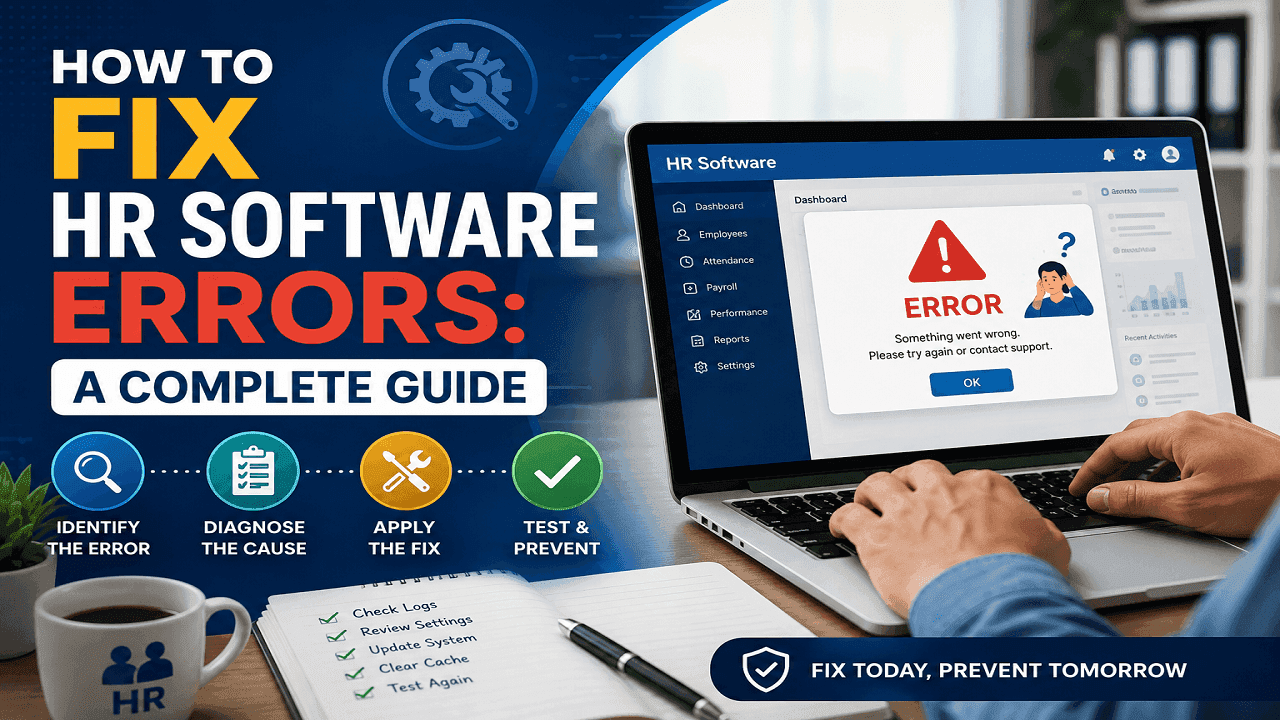
HR software errors should be fixed by identifying the affected module, protecting existing data, reproducing the problem, checking configurations and integrations, correcting the root cause, and testing the solution before reopening the system to employees.
That may sound straightforward, but an HR system connects many moving parts. Employee records affect attendance. Attendance affects overtime. Overtime affects payroll. Payroll affects tax, benefits, bank transfers, and employee trust. A seemingly minor mistake—such as an incorrect shift assignment—can therefore produce hundreds of inaccurate salary calculations.
The safest approach is not to start changing settings immediately. First determine whether the problem comes from incorrect data, a configuration mistake, an integration failure, a software defect, or an outdated business process.
This is especially important for organizations using HR Software in Bangladesh, where attendance, overtime, wage grades, bonuses, leave, biometric devices, and digital wage payments may all operate inside one connected system.
What Causes Most HR Software Errors?
Most HR software problems are not random system failures. They usually result from inaccurate employee data, incorrect settings, failed integrations, software conflicts, or weak internal processes.
Incorrect or Incomplete Employee Data
A wrong joining date, duplicate employee ID, missing bank account, outdated department, or incorrect salary grade can affect attendance, leave, benefits, and payroll.
For example, an employee may receive a promotion. However, the new salary grade is updated only in the profile, not in the payroll effective-date field—the designation changes, while the salary continues using the old grade.
Configuration Mistakes
Every HRIS Software platform depends on rules for office hours, overtime, late deductions, weekly holidays, leave accrual, bonuses, salary structures, and approvals.
One incorrect rule can affect an entire team. If Friday is set as a working day for employees who should receive a weekly holiday, the system may mark many workers absent.
Integration Failures
Modern HRM Software often connects with biometric devices, accounting systems, banking platforms, mobile apps, recruitment tools, and ERP software.
When these systems stop communicating, the dashboard may still look normal while the data becomes outdated. A disconnected biometric device can create missing attendance records and later affect payroll.
Software Bugs or Update Conflicts
Some errors are genuinely technical. A new update may conflict with an older browser, plugin, database field, custom report, or API.
Common signs include blank pages, slow performance, failed reports, duplicated entries, or features that suddenly stop working.
Weak Internal Processes
Software cannot fix an unclear HR process. If overtime is approved verbally, leave requests arrive through different channels, or salary adjustments are submitted after payroll closes, inconsistent results are likely.
Good HR Software makes a strong process faster. It cannot make a disorganized process accurate.
How to Fix HR Software Errors Step by Step
1. Define the Exact Error
Avoid vague complaints such as “payroll is wrong” or “attendance is not working.” Record which employee or group is affected, which module produced the error, when it started, and what result was expected.
“Night-shift overtime became zero after July 25” is more useful than “Overtime is broken.”
2. Protect the Existing Data
Before changing settings, export the affected records and create a verified backup. Preserve attendance logs, payroll inputs, approval histories, employee records, and reports.
Do not delete incorrect entries to clean the dashboard. They may help identify the cause.
3. Reproduce the Problem Safely
Try to recreate the issue with a test employee or in a staging environment. Use the same shift, salary grade, leave policy, and approval status as the affected employee.
If the error cannot be reproduced, check whether it depends on a device, browser, location, employee category, or payroll period.
4. Check the Employee Master Record
The employee master record is the foundation of HRIS Software in Bangladesh and other HR systems.
Review the employee ID, joining date, status, department, shift, salary grade, bank details, leave policy, tax settings, and approval workflow.
Duplicate profiles are especially risky. One profile may receive attendance while another receives payroll, creating missing days or duplicate salary records.
5. Review Policy and Payroll Settings
Compare the software settings with the company’s approved HR policies. Check working hours, grace periods, overtime formulas, holidays, leave accrual, salary components, deductions, bonuses, and effective dates.
Companies using HR Software in Bangladesh should also review these settings whenever labor rules or wage requirements change. HR, payroll, and legal teams should verify key configurations.
6. Inspect Biometric and Attendance Integrations
When attendance is missing, compare the biometric device, integration log, and HR software database.
If the punch exists on the device but not in the system, the likely causes are synchronization failure, network problems, device mapping, or an integration service error.
If the punch is missing from the device, check employee enrollment, fingerprint quality, card assignment, power supply, and user behavior.
Also confirm that device time matches server time. Even a small difference can create false lateness, early departure, or night-shift errors.
7. Reconcile Payroll Before Payment
Never fix payroll by changing only the final net salary. Review the full calculation, including basic salary, attendance, payable days, overtime, allowances, bonuses, deductions, advances, taxes, and previous adjustments.
Compare the payroll register with attendance summaries, approved records, employee data, and the bank payment file.
Historical Better Work Bangladesh research found that 44 percent of assessed factories did not maintain one accurate payroll record. Although this is not a current industry-wide figure, it shows the risk of inconsistent payroll data.
Research on digital wage payments also found that factories could reduce payroll administration time and effort by 53 percent. However, Payroll Software must still verify employee identity, attendance, salary information, and bank details before payment.
8. Check Permissions and Approvals
Some errors happen because the wrong person can edit sensitive data. Others occur because nobody has permission to approve a required transaction.
Review access for HR, payroll, finance, supervisors, IT administrators, and employees.
The system should record who changed a value, what changed, when it happened, and whether it was approved. A clear audit trail improves accountability.
9. Apply the Fix and Test It
Whenever possible, apply the correction in a test environment first. Run sample calculations for regular employees, new joiners, resigned employees, night-shift workers, employees on leave, and staff receiving overtime or bonuses.
Do not assume the issue is solved because one record looks correct. A formula change may fix one group while creating a new error for another.
10. Communicate With Affected Employees
If the error affects salary, attendance, or leave, explain what happened, what information was affected, what action is being taken, and when the correction will be completed.
Do not blame the employee or say, “It was a system problem.” The organization remains responsible for managing its HR Software and correcting the impact.
For companies using Payroll Software in Bangladesh, timely and accurate communication is essential because payroll errors can quickly reduce employee trust.
Final Thoughts
The best way to fix HR software errors is to identify the problem, protect the data, correct the root cause, and test the solution carefully.
When choosing HR Software in Bangladesh, focus on audit logs, biometric integration, payroll controls, backups, approval workflows, and local support.
Reliable results depend on accurate data, trained users, clear processes, and regular system reviews.